PerfectPost lets you create custom LinkedIn feeds, built only from the people or company pages you actually want to follow.
No more endless scrolling — see at a glance what your key network is posting.
🖥️ 1. From the PerfectPost web app
🔹 Where to find your lists
In the “My Watchlist” section, you’ll find the “My Lists” page.
Here, you can:
- browse your existing feeds (e.g. PerfectPote, Creators, Partners),
- or create a brand-new custom list.
💡 Tip: each list gathers recent posts from its members, sorted by date.
Perfect to keep up with your clients, partners, or ambassadors.
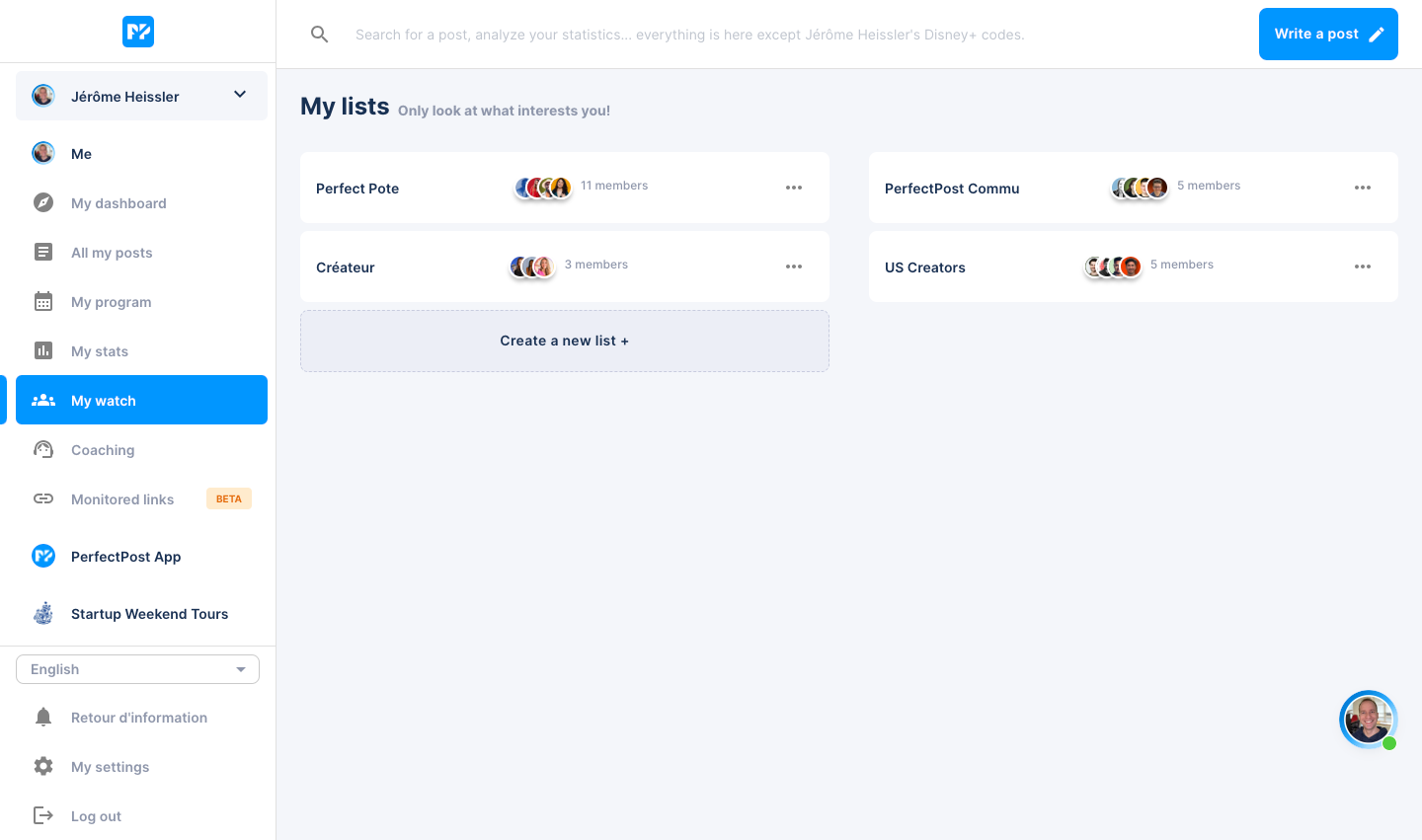
🔹 Create a new list
- Click “Create a new list +”
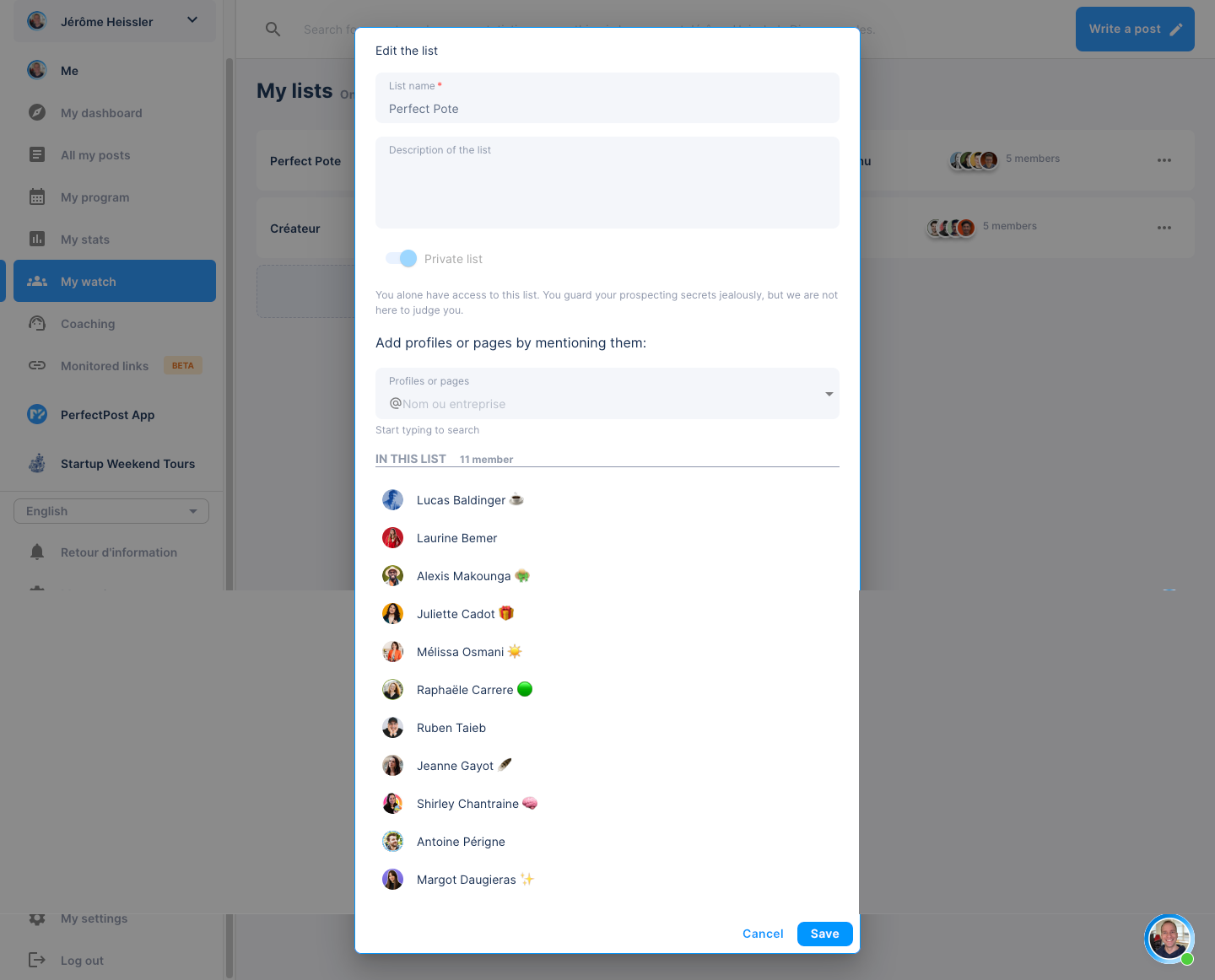
- Give it a name and a short description
- Add LinkedIn profiles or pages by mentioning them (
@Name or company) - Click Save
🔹 Edit or manage a list
- Click the “…” next to a list name to edit its title, description, or members.
- You can delete a list anytime.
- All your lists appear in the main “My Watchlist” dashboard.
🧩 2. From the PerfectPost browser extension (on LinkedIn)
🔹 Access your custom feeds
Once the extension is installed, you’ll see a new panel on the right side of LinkedIn called “Your custom feeds.”
This panel shows all the lists you’ve created in PerfectPost:
- You can open a feed directly from LinkedIn
- Or manage your lists using “+ create a contact list”
🔹 Add someone to a list
On any LinkedIn profile, you’ll notice a new button:
👉 “Add to my list”
- Click it
- A window opens showing all your PerfectPost lists
- Check the ones where you want to add that person
- Close — they’re now included in your feed!
💡 Tip: you can also search for someone directly in the “Manage my lists” window without leaving LinkedIn.
🔹 View or edit list members
- Click the ✏️ icon to see all the list’s members.
- Add or remove profiles instantly.
- All changes are automatically synced with your “My Watchlist” space in the PerfectPost web app.
⚙️ Limitations & best practices
- 🔢 Each list can contain up to 28 members for optimal performance.
- 🆓 Free users can create 1 single list.
- 💎 Premium users get unlimited lists.
💡 Pro tips
- Create one list per goal:
- Potential clients
- Partners / Ambassadors
- Competitors
- Check your feed daily — in just 2 minutes:
✅ spot who has posted,
✅ engage,
✅ stay visible.
🚀 Why it works
Because LinkedIn rewards engagement, not blind posting.
With PerfectPost, you stay visible to the right people — without wasting time scrolling.
The result: you save time, stay top-of-mind, and build new opportunities naturally.